Mario Tennis (Nintendo 64)
| Mario Tennis | |||||||||||||
|---|---|---|---|---|---|---|---|---|---|---|---|---|---|
 For alternate box art, see the related gallery. | |||||||||||||
| Developer | Camelot | ||||||||||||
| Publisher | Nintendo | ||||||||||||
| Platforms | Nintendo 64, Virtual Console (Wii, Wii U), Nintendo 64 – Nintendo Classics | ||||||||||||
| Release dates | Nintendo 64: July 21, 2000[1] July 21, 2000[1] August 28, 2000[1] August 28, 2000[1] August 29, 2000[2] August 29, 2000[2] November 3, 2000[3] November 3, 2000[3] November 3, 2000[?] November 3, 2000[?]Virtual Console (Wii): June 18, 2010[3] June 18, 2010[4] June 28, 2010[5] August 31, 2010[6]Virtual Console (Wii U) (full release): July 9, 2015[7] December 17, 2015[3] December 17, 2015[8] July 20, 2016[9]Virtual Console (Wii U) (Promotional Release): November 20, 2015[10] November 21, 2015[11]Nintendo 64 - Nintendo Classics: October 25, 2021[12] October 26, 2021[13] October 26, 2021[14] October 26, 2021[15] October 26, 2021[16] October 26, 2021[16] October 26, 2021[17] October 26, 2021[17] | ||||||||||||
| Languages | English Japanese | ||||||||||||
| Genre | Tennis | ||||||||||||
| Ratings |
| ||||||||||||
| Modes | Single player, multiplayer | ||||||||||||
| Format |
 Game Pak Game PakWii:  Digital download Digital download Digital download Digital download Digital download Digital download | ||||||||||||
| Input | Wii:  Joy-Con (horizontal) Joy-Con (horizontal) | ||||||||||||
| Serial code | NUS-NM8J-JPN | ||||||||||||
 - Everyone
 - Three years and older
 - Three years and older
 - All ages
 - All ages
 - General




- “Mario & friends serve up another ace!”
- —Tagline
Mario Tennis, known in Japan as Mario Tennis 64, is a sports game released for the Nintendo 64 in 2000. It is the first direct installment in the Mario Tennis series and the follow-up to Mario's Tennis for the Virtual Boy. It features Mario and friends playing tennis, with a twist of Super Mario elements added to gameplay. This game established multiple mainstay elements of Super Mario series character rosters, with the introduction of the character Waluigi as a rival of Luigi, the re-introducion of Daisy and Birdo into the franchise, and establishing the concept of Baby Mario as a split entity from adult Mario. It is compatible with its Game Boy Color counterpart via Transfer Pak.
The game was re-released on the Wii's Virtual Console in 2010 and the Wii U's Virtual Console in 2015, and released on the Nintendo 64 – Nintendo Classics application in October 2021.
Opening cutscene[edit]


The game begins with the launch of the Mario Star Tournament. Mario and a prominent cast of characters (including some newcomers like Princess Daisy and Birdo) walk out onto the field, where it switches to a walk-through of more playable characters, and a quick zoom in on two shadowed figures. Eventually, the tournament is started and characters are matched up. Mario defeats DK, Yoshi defeats Daisy, Princess Peach defeats Birdo, and Luigi defeats Paratroopa. In the semi-finals, Mario defeats Yoshi and Luigi defeats Peach.
The finals starts with Mario and Luigi beginning their match by looking for the tennis ball, when suddenly Wario and his new side-kick Waluigi bust in to challenge them. As Waluigi enjoys his new introduction, Luigi exclaims he is not impressed with this new character. Waluigi, now angered, challenges Luigi. Mario tries to calm the two down when Wario confronts him. The four are about to have-it-out, when a gloaming spot-light shines down upon them.
As Toad (who is the announcer) points and shouts, "What's that?!", Bowser and the hovering Boo fall onto the court below, knocking Wario and Waluigi backwards. Everyone appears disgusted that Bowser would try to ruin a tennis match. To everyone's surprise, the pair announce they have come to play a friendly game of tennis. As everyone is baffled, Mario breaks the silence by exclaiming, "Let's all play!". As Peach and Daisy look to each other and agree, everyone, including Wario and Waluigi, follow suit. Out of nowhere, a Bob-omb makes its way onto the field. Without time to act, everyone is caught in the blast, and the game begins.
Gameplay[edit]
Controls[edit]
- Menus
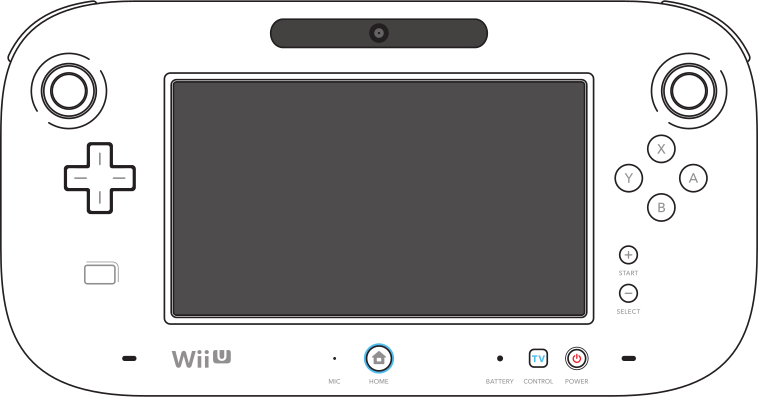
| Action | Nintendo 64 controller | Wii Classic Controller | Wii U GamePad Wii U Pro Controller |
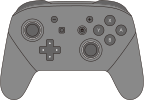
Dual Joy-Con Nintendo Switch Pro Controller |
Joy-Con (horizontal) |
|---|---|---|---|---|---|
| Select option |  / / 
|
 / / 
|
/ 
|
 / / 
|

|
| Confirm selection | 
|

|

|

|

|
| Cancel selection Return to previous menu |

|

|

|

|

|
| Make character left-handed |  / / 
|
 / /  / / 
|
 / | / |
|
 / / 
|
 / /  + + 
|
- Tennis matches
| Action | Nintendo 64 controller | Wii Classic Controller | Wii U GamePad Wii U Pro Controller |
Dual Joy-Con Nintendo Switch Pro Controller |
Joy-Con (horizontal) |
|---|---|---|---|---|---|
| Move character Control shot direction |
|
|
|
|
|
| Top Spin Shot |
|
|
|
|
|
| Slice Spin Shot |
|
|
|
|
|
| Lob | →
|
→
|
→
|
→
|
→
|
| Drop Shot | →
|
→
|
→
|
→
|
→
|
| Flat Shot / Smash Shot | + (together) |
+ (together) |
+ (together) |
+ (together) |
+ (together) |
| Cancel charged shot |
|
|
|
|
|
| Pause game | 
|

|

|

|
+ (left Joy-Con) + (right Joy-Con) + (right Joy-Con)
|
| Use item (Bowser Stage only) | 
|

|

|
|

|
Serving[edit]

A serve begins each point in a game. Players alternate serving with ever game. To serve, the player must press either or , then or while aiming with the control stick. The right timing can result in a "Nice" serve, which is a bit more powerful and quicker than a normal serve. If the player double taps , they will hit a topspin serve. Double tapping serves a slice and holding and serves a smash.
If the player fails to hit the box during an opening serve, the player gets a fault and must serve again. Getting another is called a "double fault" and causes the server to lose the point.
The player can get a "let" when their serve hits the net but still lands in the correct service box, if this happens the player must repeat their serve again without a penalty. This game and its Game Boy Color counterpart are the only Mario Tennis games with this mechanic, it was likely removed from following games due to making the player repeat their serve similar to getting one fault.
Types of shots[edit]
Different shots can be executed by pressing specific combinations of the and buttons, and can be aimed with the control stick.
| Shot | Input | Description |
|---|---|---|
 Top Spin |
→
|
The top spin is a basic shot with a high arch to it. By double tapping the button, the shot becomes more powerful and an orange trail is added to it.
|
 Slice |
→
|
A Slice shot has a lower trajectory and less of a bounce off the surface of the court. By double tapping the button, the shot gains an even lower trajectory and a blue trail behind it.
|
 Lob |
→
|
The lob shot has an even higher arc than a top spin. The lob is especially effective against weaker, quicker players who come to the net. When a player lobs a shot, a star-shaped smash point will appear where the ball will fall. |
 Drop Shot |
→
|
The drop shot is a weak shot with a low trajectory that drops the ball very close to the net. If an opponent is deep on the back court when the player performs the maneuver, they will have to sprint forward to make a play on the ball, which often leads to mis-hits. |
 Smash Shot |
+ (together) |
The flat smash shot is very fast shot accompanied by a pink sparks coming out of the racket and by a unique sound effect while receiving. It is especially effective when used at the net. If a player executes a lob shot or returns the ball weakly, a star-shaped smash point will appear on the court. If a smash shot is executed while over one, it becomes an even more powerful smash shot and gains a pink trail. |
Charge[edit]

To charge a shot, the player must press and hold either , or both, indicated by sparks appearing around the player. A charge-up shot is more powerful and easier to control. While charging, the character will automatically hit the ball if it is within reach, leaping if needed. However, the player will also move slowly while charging, unless they are a "Tricky" character. It is possible to cancel charging if they misaligned the shot by pressing .
Charging stances[edit]
Depending on both the position and the trajectory of the ball when a charge is started, the character will assume one of three stances while charging the shot, influencing both the leaps that the character is able to make to reach the ball, the speed and preferred direction of the following shot and, in the case of Flat Shots, the actual type of shot.
| Shot type | Right-handed stance | Left-handed stance | Description |
|---|---|---|---|
| Forehand | 
|

|
The character prepares to execute a forehand shot, resulting in a shot skewed toward the side of the non-dominant hand. If needed, while assuming this stance the character is also able to leap in the direction of the dominant hand to reach the ball. |
| Backhand | 
|

|
The character prepares to execute a backhand shot, resulting in a shot skewed toward the side of the dominant hand. If needed, while assuming this stance the character is also able to leap in the direction of the non-dominant hand to reach the ball. |
| Overhead | 
|

|
The character prepares to hit the ball with a forehand shot with the racket above the head. This is the only stance that allows vertical leaps to reach balls flying above the head of the character, as well as allowing leaps both vertically and to either direction. |
Doubles[edit]

In Doubles matches, the side areas of the court, known as the doubles alleys, are used, whereas in singles ball the alleys are treated as out of play. When receiving a service, only the player towards the back of the court is allowed to return it. If the player closer to the court returns it, they lose the point.
Game modes[edit]
Mario Tennis offers five main play modes. Three of them—Exhibition, Ring Shot and Bowser Stage—are available for up to four players, while Tournament and Piranha Challenge are exclusively single player modes.
Exhibition[edit]


In exhibition mode, one to four players can play individual matches of singles or doubles. The matches can be customized by number of sets (one, three or five sets of two or six games each), and players can choose their opponent, which can be in five different difficulties: Easy, Normal, Hard, Intense and Max, the last of which is unlocked by beating every cup in both singles tournaments with every character except the transferable Game Boy Color characters. Lastly, players can choose from sixteen possible courts.
Tournament[edit]
Tournament is a single player mode where players must compete in an eight players bracket (or five duos as a doubles tournament). Initially, only the Mushroom Cup is available. The Flower Cup is unlocked by beating the Mushroom Cup, and the Star Cup is unlocked by beating the Flower Cup.

The first tournament in the game, the Mushroom Cup a standard, basic tournament with easier than average opponents. The opponents are slower and relatively unskilled. The Mushroom Cup takes place on the Hard Court.
- First Round: 1 Set Match (Easy)
- Second Round: 1 Set Match (Easy)
- Final Round: 3 Set Match (Normal)
Held on the Clay Court, the Flower Cup showcases slightly harder opponents on a harder court than the previous cup. However, the opposition are still not much of a challenge to experienced players.
- First Round: 1 Set Match (Easy)
- Second Round: 1 Set Match (Normal)
- Final Round: 3 Set Match (Normal)
The Star Cup is the hardest cup of the normal tournaments. The opponents in this cup offer a harder challenge to the player. The court played on is the Grass Court.
- First Round: 1 Set Match (Normal)
- Second Round: 1 Set Match (Hard)
- Final Round: 3 Set Match (Hard)
Special Tournament[edit]
After the Star Cup is beaten, that character is awarded a star. If all characters are awarded stars (with the exception of the transferable Game Boy Color characters), the Special Tournament is unlocked. During the character selection process, the player can "star" a character by pressing and holding the shoulder button while selecting a player. This now allows the player to participate in the Special Tournament instead of the regular Tournament. Initially, only the Rainbow Cup is available, and the player has to beat the it to unlock the Moonlight Cup, and win the Moonlight Cup to unlock the Planet Cup. Beating all singles special cups with all 16 characters will unlock the Max difficulty mode for computer players.
The Rainbow Cup is a slight bit more of a challenge than the Mushroom Cup, yet still not very hard. The only significant difference between this and the Mushroom Cup is strength of the serve. Players here also deal a bit more power with their shots. The Rainbow Cup takes place on the Hard Court, much like the Mushroom Cup.
- First Round: 1 Set Match (Normal)
- Second Round: 1 Set Match (Normal)
- Final Round: 3 Set Match (Hard)
The Moonlight Cup is a similar to the Flower Cup, except in number of games played. Held on the Clay Court yet again, the Moonlight Cup’s second round is a 3 Set Match, and its final round is a longer 5 Set contest.
- First Round: 1 Set Match (Normal)
- Second Round: 3 Set Match (Hard)
- Final Round: 5 Set Match (Hard)
The Planet Cup involves harder opponents, with longer matches. Every match leading to the final is a three set match. The final match of the entire game is five sets long, much like the Moonlight Cup's final match. The Planet Cup takes place on the Grass Court, like the Star Cup.
- First Round: 3 Set Match (Hard)
- Second Round: 3 Set Match (Hard)
- Final Round: 5 Set Match (Intense)
Ring Shot[edit]
- Main article: Ring Shot

The Ring Shot mode involves players attempting to hit a certain number of rings, while playing against an opponent. Four different Ring Shot challenges are available:
- Game: "Clear the set number of rings before the game ends."
- Time: "Clear the set number of rings before time runs out."
- Ball: "Continue a rally to clear the set number of rings."
- Points: "Clear rings for points within the time limit."
Bowser Stage[edit]
- "Bowser Stage" redirects here. For its musical theme, see Bowser's Theme (Super Mario 64) § Mario Tennis (Nintendo 64).

Bowser Stage takes place on a floating court suspended by chains above a lake of lava. This game is a nod to the Mario Kart series, where the player can collect and use power-ups against the player's opponent. The court pitches and shifts throughout the match, and the player will have to contend with the weird gravity as a result. Running up it will take the player more time, and the down slope will pull them down toward the lava. The ball also reacts differently to the surface angle. The other major difference between this and normal tennis are the power-ups that are collected and used. They hover near the center of the net in glowing cubes (similar to the Mario Kart games) and become useable when a player sends a ball through one. The power-up then appears in the corner of the screen and can be used by pressing the